
The Thirteenth Day of Christmas
By Nick Dunkerley
🎄 After a day spent outside in the winter cold - interviewing your guest, capturing ambient sound - it’s finally time to move indoors. With cheeks rosy from the chill and a mug of steaming cocoa in hand, it’s time to dive into your recordings.
Today, our focus is simple: importing and organizing your audio so you can begin to get acquainted with the material.
This isn’t about editing or finding soundbites just yet.
It’s about familiarising yourself with what you’ve captured and laying the groundwork for the story to come.
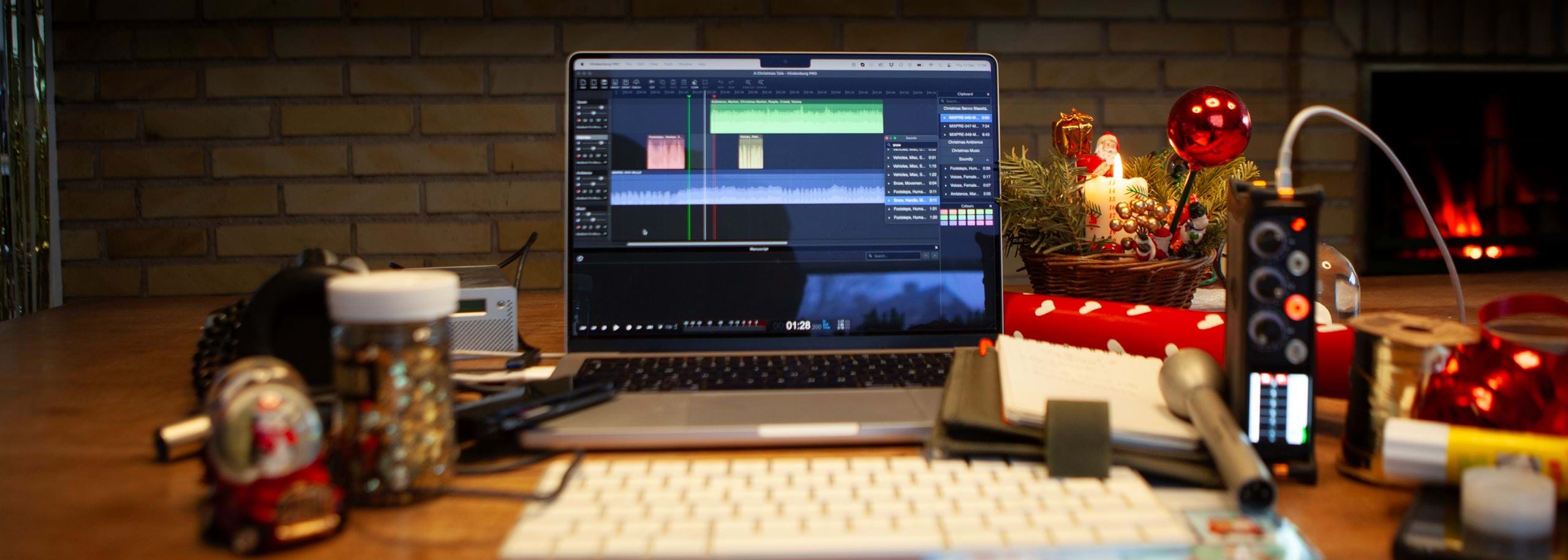
Settle into the couch, fire up your favorite digital audio workstation (DAW), and start importing your recordings.
Organizing them properly from the start will save you time and frustration later.
Many professional audio production tools made for broadcasting feature a clipboard.
A dedicated space to store, organise, rename, and preview audio clips outside your main workspace.
A clipboard gives you a bird’s-eye view of your material without cluttering your timeline.
Here’s how to set up your clips:
Group by Category
Transcriptions are invaluable.
They allow you to search and locate key moments or quotes quickly, saving you hours of scrubbing through audio.
If transcription isn’t an option, consider jotting down notes and timecodes as you listen.
Once your recordings are imported and organized, it’s time to get to know them.
This isn’t about isolating soundbites or editing yet.
It’s about understanding the material you have.
In the analog days of radio production, reporters would listen through their tapes in real time, taking meticulous notes to create an edit script.
This slower process forced them to deeply engage with their material, often uncovering moments they’d missed during the recording.
While digital tools have made things faster, there’s still immense value in taking the time to listen.
You might spot a hidden gem or gain a new perspective on your story.
Interviews:
Listen to your guest’s tone, pacing, and flow.
Pay attention to moments that feel genuine, emotional, or particularly insightful.
Ambient Sounds:
Let the background noises transport you back to the scene.
Notice the hum of a refrigerator, the crunch of snow underfoot, or the jingle of distant bells.
Details that will later enrich your soundscape.
Music:
If you’ve added music to your clipboard, let it play while thinking about how it might complement your story.
If your DAW doesn’t include a clipboard feature, don’t worry.
Simply import your recordings directly into your workspace.
Here’s how to stay organised:
Use Markers:
Set markers as you listen, labelling standout moments or sections for easy navigation later.
Group by Category:
Arrange your clips directly in the timeline, keeping similar sounds together.
By organizing your recordings and taking the time to listen, you’re building familiarity with your material. This step lays the foundation for a smoother editing process and helps you identify the moments that will bring your story to life.
🎁 Today’s Challenge: Import your recordings into your DAW and organize them into groups or folders. Add music to your clipboard if you have it.
Use transcription tools if available, or take notes as you listen.
Spend 20 - 30 minutes simply enjoying what you’ve captured.
It’s the first step toward crafting your story.
Tomorrow, we’ll dive into identifying the standout moments and soundbites that will shape your narrative.

Hindenburg is the only way to go. With a significant reduction in my editing time, I’m now free to focus on my content and my audience!
At Hindenburg, we're all about the story. Our tools are designed specifically with audio storytelling in mind, giving you everything you need to navigate and edit complex stories seamlessly. From Multitrack recording, transcriptions, clipboards, sound libraries and publish tools - Hindenburg Pro has you covered.
If you are considering a life in audio, then begin with a 30 day trial of Hindenburg PRO.

Stay sharp - join our newsletter and be first in the loop on new stories, updates and blogs.